Stacking Trouble
February 24, 2026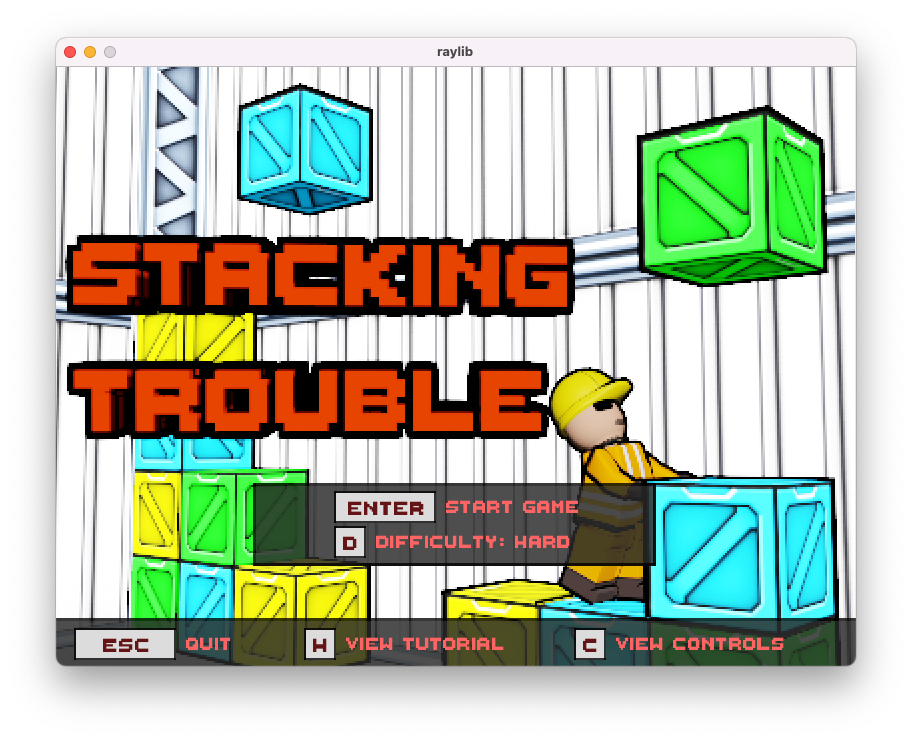
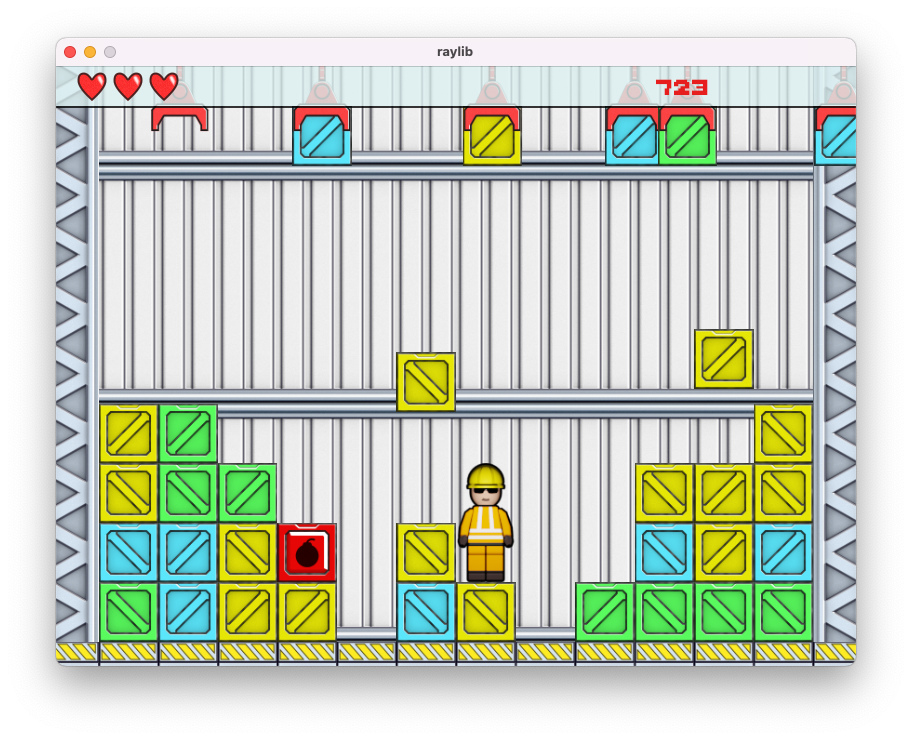
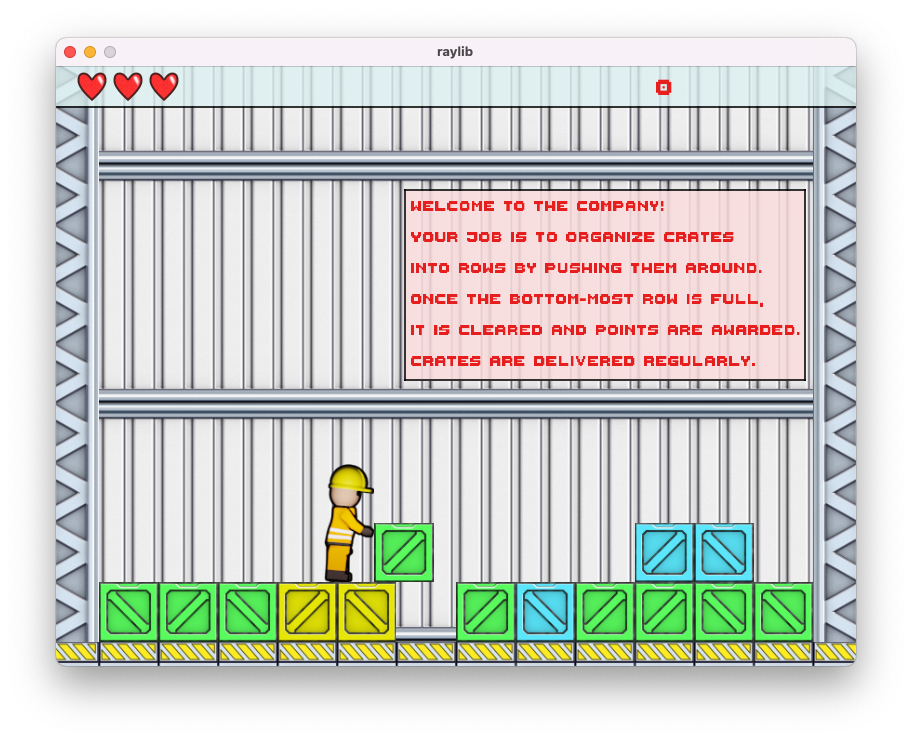
Stacking Trouble is a game that (poorly) attempts to re-create Stack Attack game that came preloaded on old Siemens phones. The goal of the game to organize falling crates into a row by pushing them. Once the bottom-most row is filled, it is discarded and points are awarded.
Version 2 of the game is an attempt to polish the game and introduce new features that were not implemented due to time constraints.
- Power-up crates are introduced that either give player health or double his movement speed. TNT crates that destroy crates within certain distance are also introduced.
- Proper graphics are implemented (no more
RlDrawRectanglewith random colors, yay!), including player animations and explosion effects. - Menu system with ability to view controls, change game difficulty or view in-game tutorial.
This game was originally made for Langjam Gamejam 2025, taking place between December 14th and December 20th. The goal of the jam was to make a programming language first and then write a game in said language (all in 7 days). Stacking Trouble is written in Bla - dynamically-typed interpreted language with its syntax very much inspired by Python. Golang was used for the compiler/interpreter and RayLib is used for rendering.
Game's source code is available on GitHub.
The Language
The game is written in a language called Bla (I didn't have a good name for it) which is very much inspired by Python... without any conveniences of Python. The language has the following constructs:
- Boolean, integer, float, string primitive types.
- List type and its related operations: accessing an element of a list, list assignments, appending to a list and accessing length of a list.
- Objects and its operations: set and retrieve object attributes.
- Various expressions - boolean
and/or/not, comparison operators (e.g.<,==, etc), arithmetic operators, and ternary expressions (e.g.a if a else b). Short-circuited evaluation is applied toand/oroperators. That is,andgets compiled tob if a else aandorgets compiled toa if a else b. - Assignments,
whilestatements,ifstatements (with optionalelse),print,assertandreturnstatements. - Functions, function calls, and function references. Reference to a function can be created by prefixing a valid function name with
&symbol. In combination with objects, it is possible to write some basic object-oriented code. - Global constants which are defined using
globalkeyword and ability to read them usingglobalexpression.
Actual game's source code can be found here and (rather incomplete) compiler testing suite containing sample programs can be found here.
The Interpreter
Interpreter is essentially a stack-based virtual machine that operates on "bytecode" (using that term loosely here) and consists of four main parts:
- Program counter: index of the instruction being executed in the instruction list.
- Evaluation stack for evaluating expressions and passing argument during function calls.
- Call stack for handling function calls. It stores a return address and maintains a hash table of local variables and their values.
- Global constant pool.
All values are represented with value sum type (implemented as interface in Golang), each variant storing typed value. All value variants implement truthy method that is used for branching which makes statements like if [] possible. The following value variants are implemented:
nonefor representing nulls.int64valuefor storing integers.float64valuefor storing floats.boolvaluefor booleans.functionAddressValuefor storing function references.stringValuefor strings.listValuefor dynamically-sized lists, storingvalueinstances.objectValuefor objects. Objects are simply a table containing field names andvalueinstances.objectValueitself stores a pointer to that table, hence objects are passed around by reference.textureValuefor storingrl.Texturestructure, needed for calling Raylib's texture drawing functionality.
In summary, every possible value in Bla is boxed.
Instruction Set
Instruction set if pretty straight-forward.
Add/Sub/Lt/Eq, ... for arithmetic / comparison operations. These instructions consume two values from the evaluation stack, manipulate them in some way and push some value onto the stack.NegandNotfor negating numeric values and booleans. These instructions consume one value from stack and then push one value onto the stack.PushInt(int),PushFloat(float),PushTrue,PushNone,PushFunctionAddr(int), ... for pushing values of particular type onto the stack. Some of these instructions require an additional operand. For examplePushInt 10pushesIntValueonto the stack.LoadVar(name)andStoreVar(name, value)for reading and storing local variables. These instructions require an additional operand - a variable name (name) to read or store. These variable names are essentially a key in a local variable table (i.e. is stored in a call stack frame). For example,LoadVar xwould readxfrom the top-most call-stack frame local variable table. If no variable with such name is present in the table, the interpreter crashes.GetGlobal (operand)for reading globals, andSetGlobal (value)for storing globals. Language does not expose syntax for writing globals, however; and is only used in the$_entryfunction to initialize globals, before callingmain.- Conditional branching
BrIf(offset, value)/BrIfNot(offset, value)and unconditional branchingBr(offset)instructions. These require an operandoffsetof typeintwhich is an index of a target instruction to jump to. Conditional branching instructions also consume somevaluefrom the evaluation stack, identify if it istruthyand branch if necessary. Call (int)instruction pushing a new stack frame on the call stack, sets its return address to beprogram_counter + 1and jumps to an offset as indicated by the operand.CallVirtualbehaves very similarly toCallbut it reads an address to jump to off the evaluation stack. Value that is consumed from the stack must befunctionAdressValue.Ret: sets program counter to the return address as stored in the top-most stack frame in the call stack and then pops said stack frame.SubscriptSetandSubscriptGetinstructions for accessing elements of the list. These consume values from the evaluation stack.ObjectFieldSetandObjectFieldGetinstructions for accessing attributes of an object.CastIntandCastFloatinstructions for casting arbitrary numeric values toint64valueandfloat64value, respectively.- Various built-in (e.g. random number generator) and Raylib functionalities are exposed as instructions. For example,
rl.DrawTextureis exposed asRlDrawTextureinstruction, consuming arguments from the evaluation stack accordingly. During code generation phase, these built-in functions are identified via reserved symbol table and appropriate opcode for the function is emitted.
Calling Conventions
Since the language is dynamic and has function references, we need to verify if a function was called with correct number of arguments at runtime. To facilitate this, in addition to pushing arguments onto the stack, actual number of arguments is also pushed onto the stack. For example, the following function call a(1, "string") would result in the following evaluation stack configuration:
[ ...<omitted>... | int64Value(1) | stringValue("string") | int64Value(2) ]
                                                            ^ top of the stack
In summary:
- Caller pushes arguments onto the evaluation stack, pushes argument count on the stack, and calls the function. This pushes a new stack frame onto the call stack.
- Callee first asserts that the argument count is correct using
AssertArgCount(int)instruction by inspecting value on top of the stack. If successful, the value is popped from the stack; error is raised otherwise. Remaining arguments are consumed from the stack and assigned to corresponding local variables. - All functions return some value (
noneby default) and end withRetinstruction which pops top-most call stack frame and updates the program counter.
Conclusion
All in all I'd consider this project a partial success: I have something that works and functional, although the version of the game that was submitted to the jam had to be simplified to meet the deadline and the resulting language is pretty much textbook. Here's add odd mix of things that I wanted to do and a wishlist for the next jam (if I were to ever to one again):
- I originally wanted to implement interpreter in C but by the end of day 1 (after getting basic parser to work) I realized I wouldn't be able to meet the deadline (since I'd also have to implement my own memory management solution) so I went with Go instead.
- Writing a tokenizer and parser by hand was a bit too time consuming. I could have used some parser generator like
yaccbut it had been a while since I used one and I really didn't want to deal with shift-reduce conflicts at the time. - The language is lacking some sort of module/importing logic. Version 2 of the game is sitting at about 2800 lines of code, making navigation around the source file a bit tedious.
- I opted to expose built-in functionality as actual opcodes in the instruction set which is fine for a simple game like this (we are only using a tiny subset of the Raylib after all) but doesn't scale well. Should look into implementing proper foreign function interface (FFI) next time.
- Art assets for version two of the game took about a week. I had no idea what the game would look like so it took about 4 days of messing around in Substance Designer until getting something I liked. There's no way I would be able to complete art for version that was submitted for the jam.
- All art assets are stored in a directory on a file system and in the game's initialization code we load all assets via
RlLoadTexturebuilt-in. Perhaps storing these assets in a some sort of container format would be a better approach (think Doom'swadfile). - I should have figured out how to properly compile the game on Windows ahead of time (as it requires
CGO). Handling all this compilation/packaging stuff two hours before the deadline was not fun.